
1
Open the PAUTOS tab
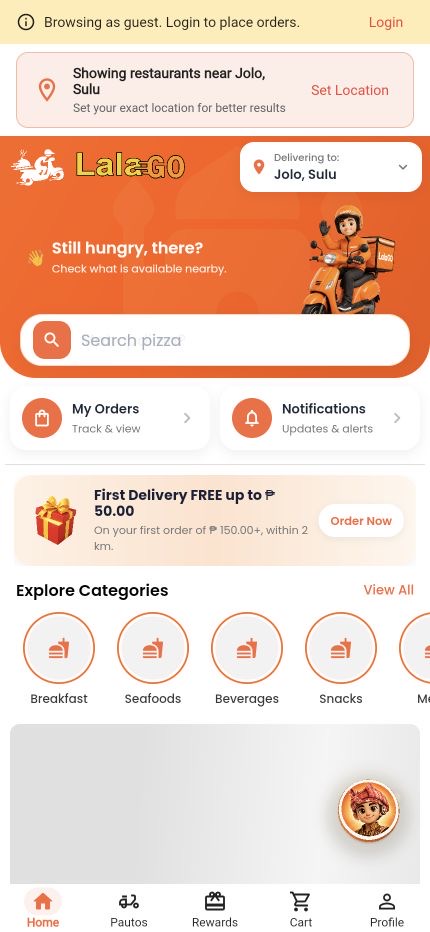
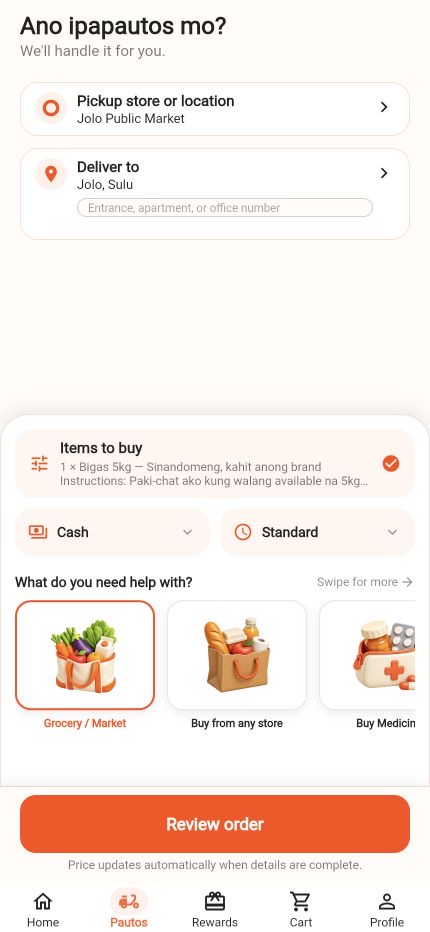
From the customer Home screen, choose PAUTOS in the bottom navigation. This opens the request builder.
You can explore the form as a guest. Sign in is required before the final review.
PAUTOS customer tutorial
Use PAUTOS in the LalaGO mobile app when you need a rider to buy items, pick up documents, or handle an available errand. Follow these steps to prepare a clear request and review the app-generated estimate before confirming.
Before you begin
You can draft a request as a guest, but LalaGO requires a customer account before review and confirmation. Have the exact pickup and delivery locations, item details, and an estimated item total ready.
From the customer Home screen, choose PAUTOS in the bottom navigation. This opens the request builder.
You can explore the form as a guest. Sign in is required before the final review.
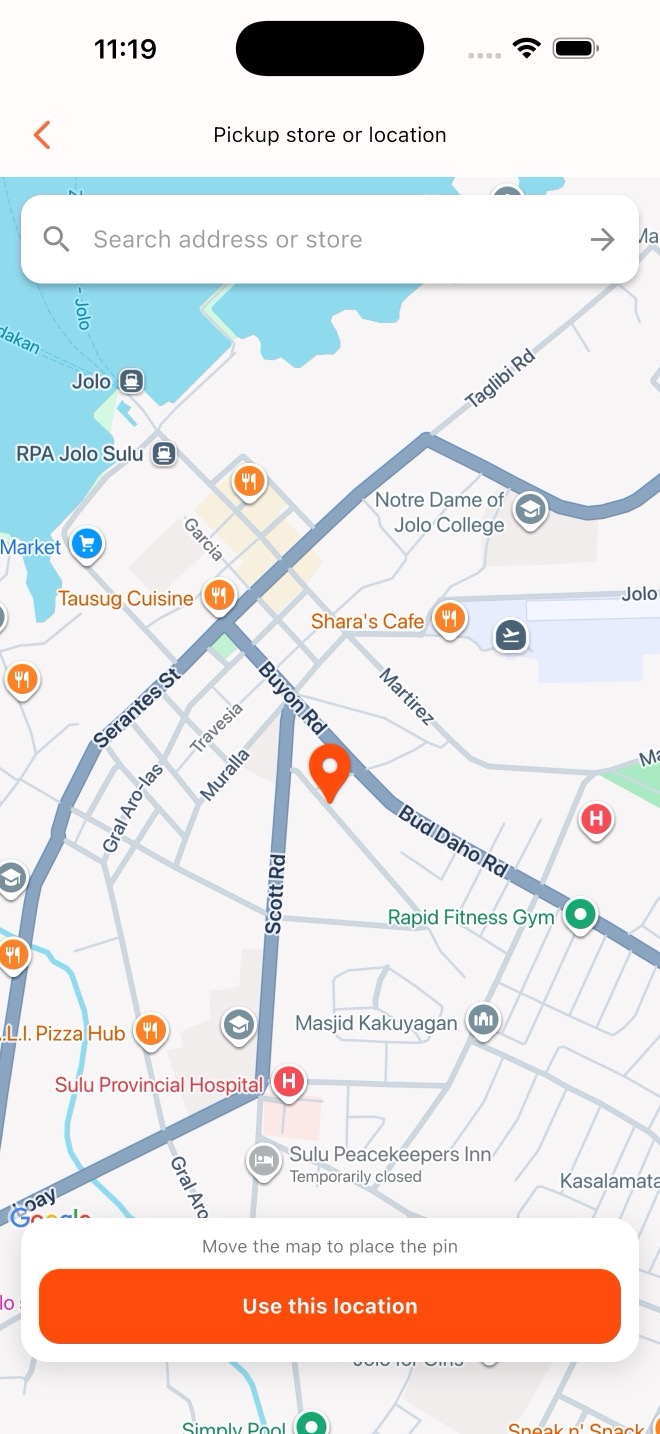
Choose Pickup store or location. In the mobile app, search for the store or address, then move the map until the orange pin is on the exact pickup point. Tap Use this location, verify Deliver to, and add an entrance, office number, or landmark when needed.
The pin coordinates feed the app's existing delivery estimate. Place the pin accurately to reduce pickup delays.
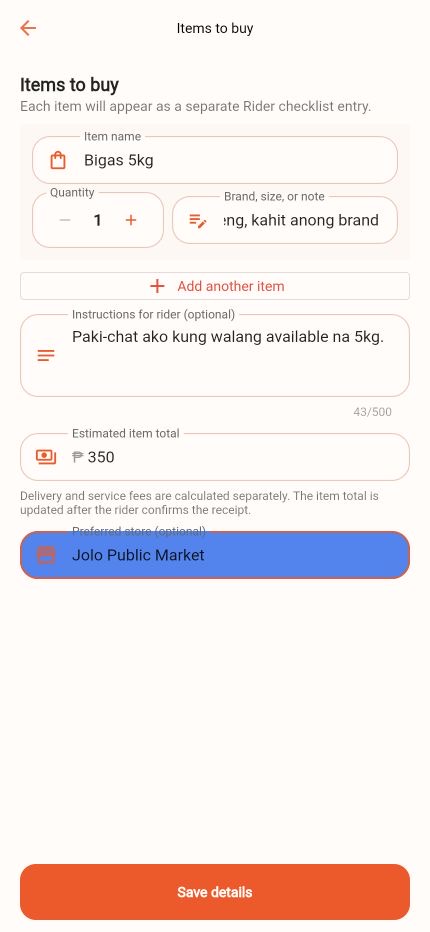
Open Items to buy. Enter one item per checklist entry, including quantity, brand or size notes, instructions, estimated item total, and preferred store when needed.
Tell the rider whether to chat with you before choosing a substitute.
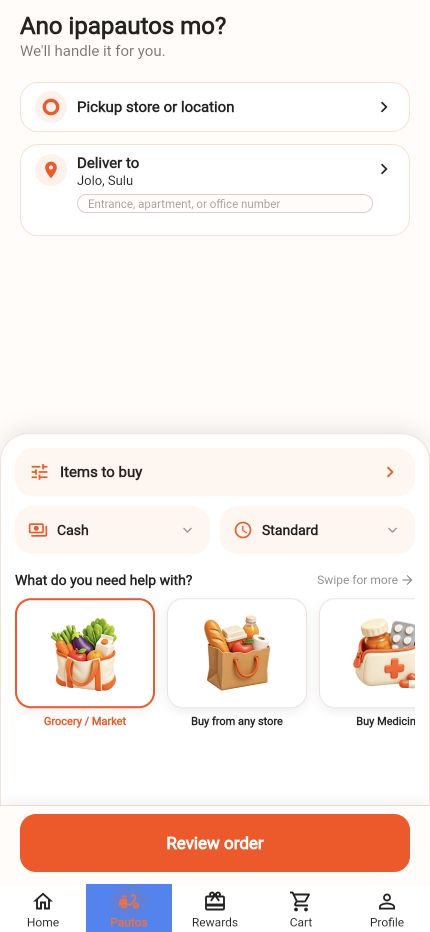
Select an available payment method such as Cash or Wallet. Then choose Standard or Rush. Rush may add a surcharge to the estimate.
Use Rush only when needed, and read the refreshed quote before confirming.
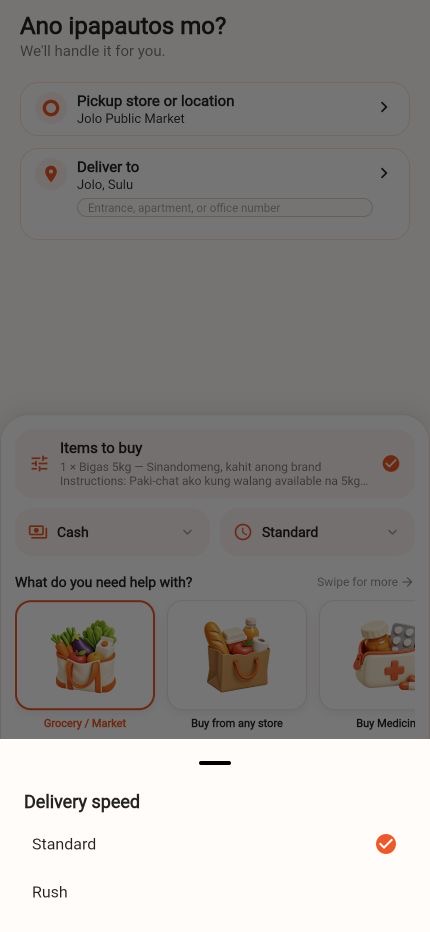
Check the pickup, delivery address, item summary, category, payment method, and delivery speed. When everything is complete, choose Review order.
Do not continue if the pickup marker, delivery address, or item estimate is wrong.
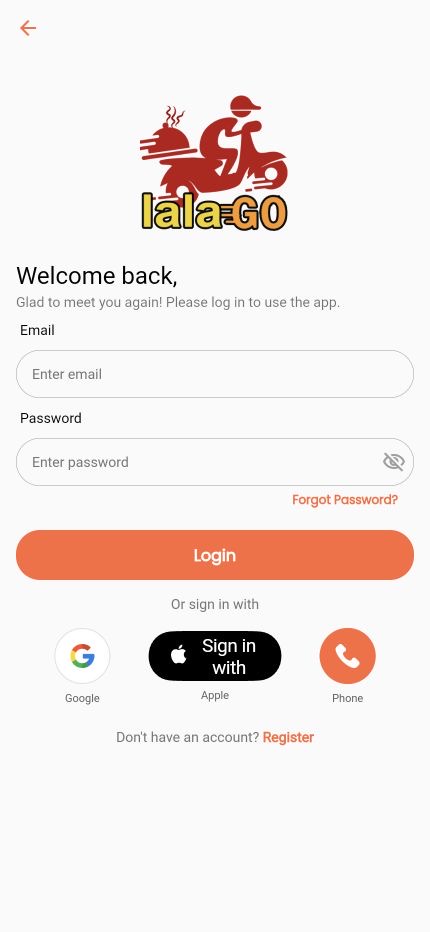
If you are browsing as a guest, sign in to your LalaGO customer account. On the review screen, check the purchase estimate, delivery fee, service fee, Rush fee when selected, and estimated total before choosing Confirm request.
Confirm request creates the real PAUTOS order. After confirmation, track it from My PAUTOS or My Orders.
Ready to request?
The app will calculate the current quote using the selected locations, item estimate, payment method, and delivery options.